Instead of relying solely on its iPhone shipments, Apple has now shifted its attention to growing its services business and well, Apple TV+ video streaming service is its newest endeavor. Apple TV+ went live yesterday, i.e November 1, in 120 countries around the globe with a handful of original programs and a star-studded cast including the likes of Jennifer Aniston, Jason Mamoa, Oprah Winfrey, and many more. Though the company is asking for $4.99/month in the U.S and merely Rs. 99 for a monthly subscription in India, you can get the Apple TV+ subscription for a year for free. Yes, Apple is looking to reel in as many subscribers it can, right from the start, and here’s a quick guide at how you can get free 1-year subscription for Apple TV+:
Pre-requisites for Free Apple TV+ Subscription
Not everyone is eligible for free Apple TV+ subscription for a year and most users will only get a free 7-day trial to test-drive the all-original video streaming service before the subscription kicks in.
Apple is offering free one-year Apple TV+ subscription to all users who purchase a new Apple device including a new iPhone, Mac, iPad, iPod Touch, and Apple TV running the latest software. The only catch – your new Apple device should have been bought after September 10 to be eligible for the free subscription.
That does sound good, right? But, it’s not a lifetime offer and you have a 3-month period from the day you set up your new Apple device to redeem the free subscription. However, devices purchased before Apple TV+ went live will have a 3-month deadline starting from November 1.
How to Get Free Apple TV+ Subscription
If you have purchased a brand new or refurbished Apple device after September 10, then follow the steps below to redeem your free Apple TV+ subscription:
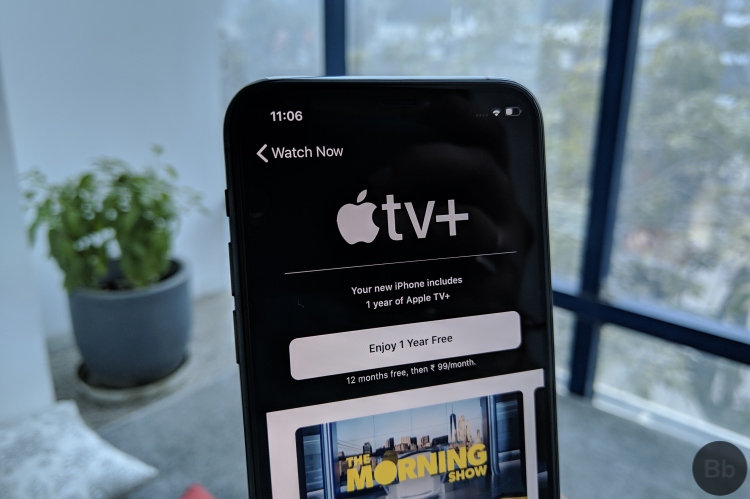
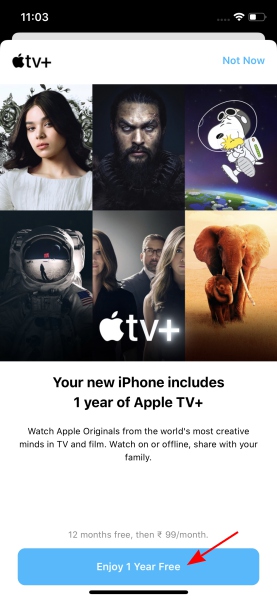
1. Simply navigate to the Apple TV app on your device (be it an iPhone, Mac or iPad) and you would see a pop-up telling that “Your new iPhone includes 1 year of Apple TV+” right away.
2. Just tap the “Enjoy 1 Year Free” button at the bottom to start using Apple TV+ for free for a whole year, post which you will need to shell out Rs. 99 per month.
Note: You should have a payment method added to your account and will need to verify your account while signing up for the subscription.
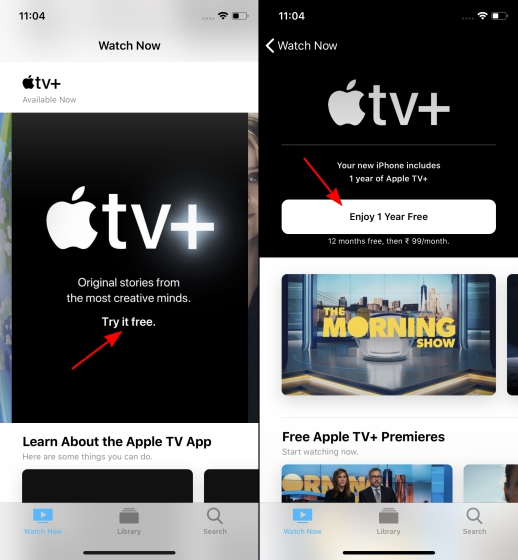
If you somehow missed the pop-up notification for your free subscription or dismissed it initially, the home screen is littered with banners for Apple TV+. Select any one of them and you will be greeted with an ‘Enjoy 1 Year Free’ button, which you can tap to kick off your subscription and binge spree over the weekend.
The most notable thing about the Apple TV+ subscription is not that you’re getting it for free for a year but instead, it’s the fact that you can share it with 5 family members without any extra charges. What more do you need? You can now start enjoying the original programming from Apple on your iPhone, iPad, Mac, and even your browser for free, to start with.
SEE ALSO: How to Fix Bluetooth Issues in iOS 13 on iPhone and iPad
Watch All-original, Apple-Produced Shows for Free
With a rumored $5 billion poured into its content division, coupled with the huge award-winning cast of actors and directors leading the charge of original content, Apple TV+ is ready to compete against the bigwigs of the video streaming segment including Netflix, Prime Video, and others. So, if you recently bought a new Apple device, don’t forget to redeem your free subscription and enjoy the first set of TV shows and movies.