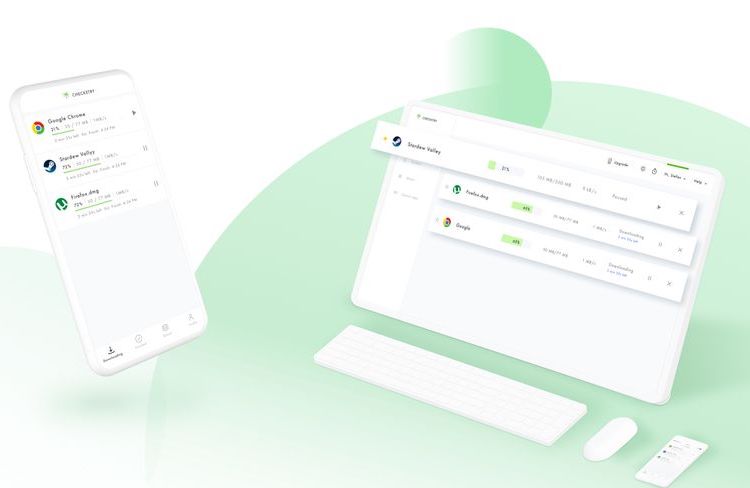
Have you ever been in a situation where you need to check how much your download has progressed but you’ve to go outside and visit your friends or you get an emergency commitment? Yeah, we feel you. Everyone has been there at least once. This is where Checketry comes handy and provides an effective solution.
Checketry is a download manager that offers cross-platform support. By cross-platform support, we just don’t refer to the app’s availability in multiple ecosystems. Rather, the application allows users to check the download progress seamlessly from any device. The app supports popular browsers like Google Chrome, Firefox, torrent apps like uTorrent, qBitTorrent, and even popular game clients like Steam, EA Origin, and Battlenet.
To get started, you need to install Checketry on all their devices. After the installation process is done, you can login with one of their social media accounts which makes the signup process even easier. If you don’t want to involve your social media profile, you can also sign up with your email ID.
There are two versions for Checketry – a free version with basic features and a paid version which offers much more useful features. On the free version, users can track downloads, get download completion notifications, automatic download resumes. It also offers the ability to remotely pause, resume, and cancel downloads but that feature is limited to the desktop version.
The premium version, on the other hand, offers extra features like the ability to pause, resume, and cancel downloads even on mobile, preventing the system from entering sleep mode while there is an active download, a shutdown timer, and an ad-free experience. Checketry Premium offers two modes of subscription. A monthly subscription will cost you $2.99 while the yearly subscription is available for $23.04 which makes it an effective cost of $1.92 per month.
The app is currently available in Windows, Android, iOS, and will be available soon on macOS.