Apple introduced the split-screen in iPad back in 2015 with iOS 9 and has improved the feature over the years. However, users could not view two files from the same app in the split-screen mode up until now. Microsoft, with a recent update to its Office apps for iPads, has given the Split View support to Microsoft Word and PowerPoint for iPad.
The Split View mode essentially lets users view two documents from the same app simultaneously, making multitasking a breeze.
The Office apps from Microsoft are some of the most popular apps in the market and these are used extensively by users on all platforms. Now, with a recent update from the Redmond-based company, iPad users will get the advantage of using Microsoft Word and Microsoft PowerPoint in Split View mode.
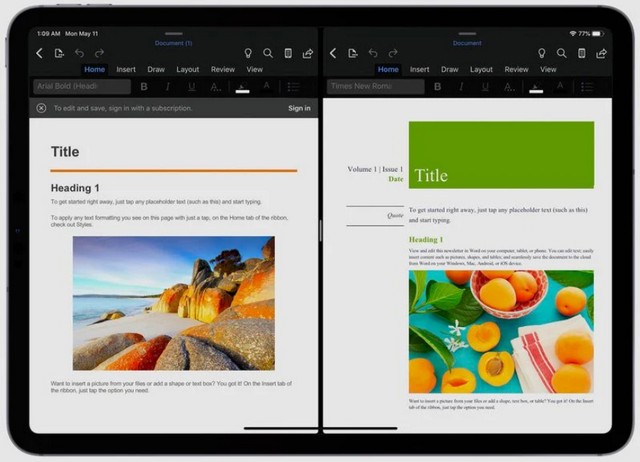
Now, to access the Split View mode, users just need to use the drag and drop feature in the iPad. After opening Microsoft Word or PowerPoint, users can open one document or presentation and then drag another document or presentation to the left or right side of the screen to view both simultaneously.
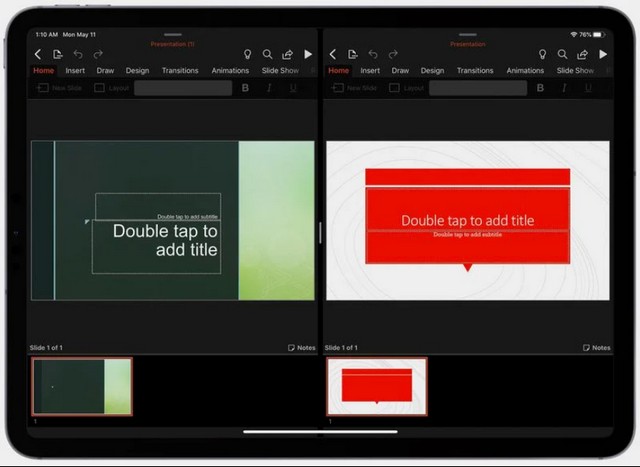
For closing the Split View mode, the user just has to grab the slider in the middle and drag it all the way to any of the sides to close one document or presentation and let the other file take the full screen.
The update was rolled out earlier last week to the suite of Office apps for iPad. Although the update was given to all the apps in the Office suite including Word, PowerPoint and Excel, the support for Split View is given to Word and PowerPoint specifically.