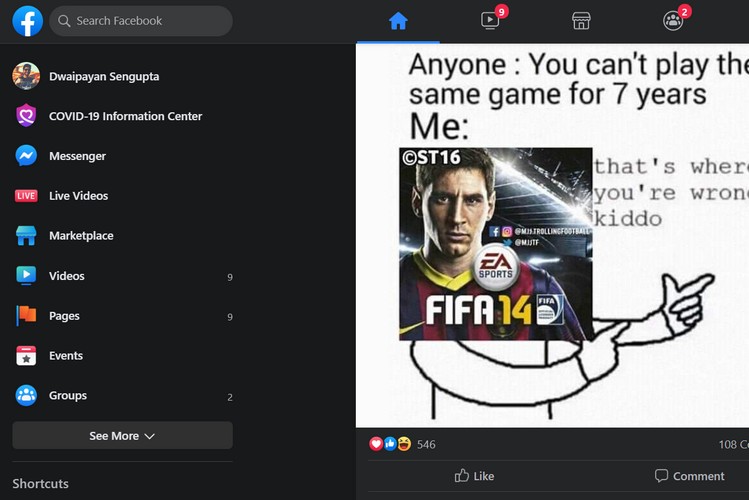
Although Facebook keeps its mobile app up to date with the latest features, the company just recently started to push new features to its desktop website. We have seen the company release the messenger app for desktop users earlier this month. Following that update, the company also unveiled an entirely new look for its web version.
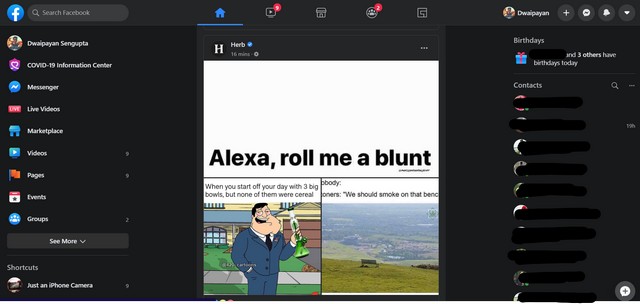
The California-based social media giant announced the new appearance for its website in their annual F8 event back in 2019. Following the announcement, we saw the company testing its newly designed web interface. However, they unveiled the new design for its website just recently.
The new web interface of Facebook brings a ton of new appearance changes to its website, including the support for the newly hyped feature — the Dark Mode. Apart from that, this new design is much easier on the eyes compared to its previous version bringing bigger fonts, easy-to-understand categorisations and better accessibility of the groups you follow, events you are interested in and your friend’s birthdays.
How to Get the New Facebook Web Interface
Now, Facebook says that the new web interface will be on by default for users in the future. However, as of now, the social media giant has given users the option to change the look of the website on-demand. So, if you do not have it on by default, here’s how you can turn it on:
- Go to your Facebook Home page.
- Click the down arrow in the upper right corner of the screen (beside the bell icon)
- Take your pointer and click the “Switch to New Facebook” button and voila! You’re in.
Now, if you want to revert the look back to the “Classic Design”, you can follow the above steps and click the “Switch to Classic Facebook” button.
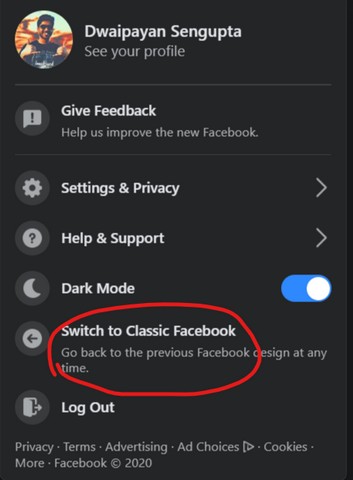
According to Facebook, once the new design goes live for all users, you won’t see the button for changing the design. There will be only the new interface for the website.