A security researcher named Ryan Pickren managed to break into the camera of Apple devices from Safari web browser on iOS and macOS. Apple has fixed the vulnerability in recent security patches.
Pickren found seven security vulnerabilities of which three of them (CVE-2020-3864, CVE-2020-3865, CVE-2020-9784) were sufficient to take over the camera system. The methodology allowed attackers to snoop into the camera when the user clicks on a malicious link.
“This vulnerability allowed malicious websites to masquerade as trusted websites when viewed on Desktop Safari (like on Mac computers) or Mobile Safari (like on iPhones or iPads).”, wrote Ryan Pickren on a blog post.
According to Pickren, the vulnerability took advantage of Safari’s security settings that encourage users to save site permissions. The attacker just had to make the browser believe the malicious link belonged to a trusted website, which Pickren says, is possible by “exploiting a series of flaws in how Safari was parsing URIs, managing web origins, and initializing secure contexts”.
Notably, any JS code that was able to create a popup, say a browser extension or ad banner could’ve exploited the technique. Take a look at a quick demonstration of the attack from Twitter below.
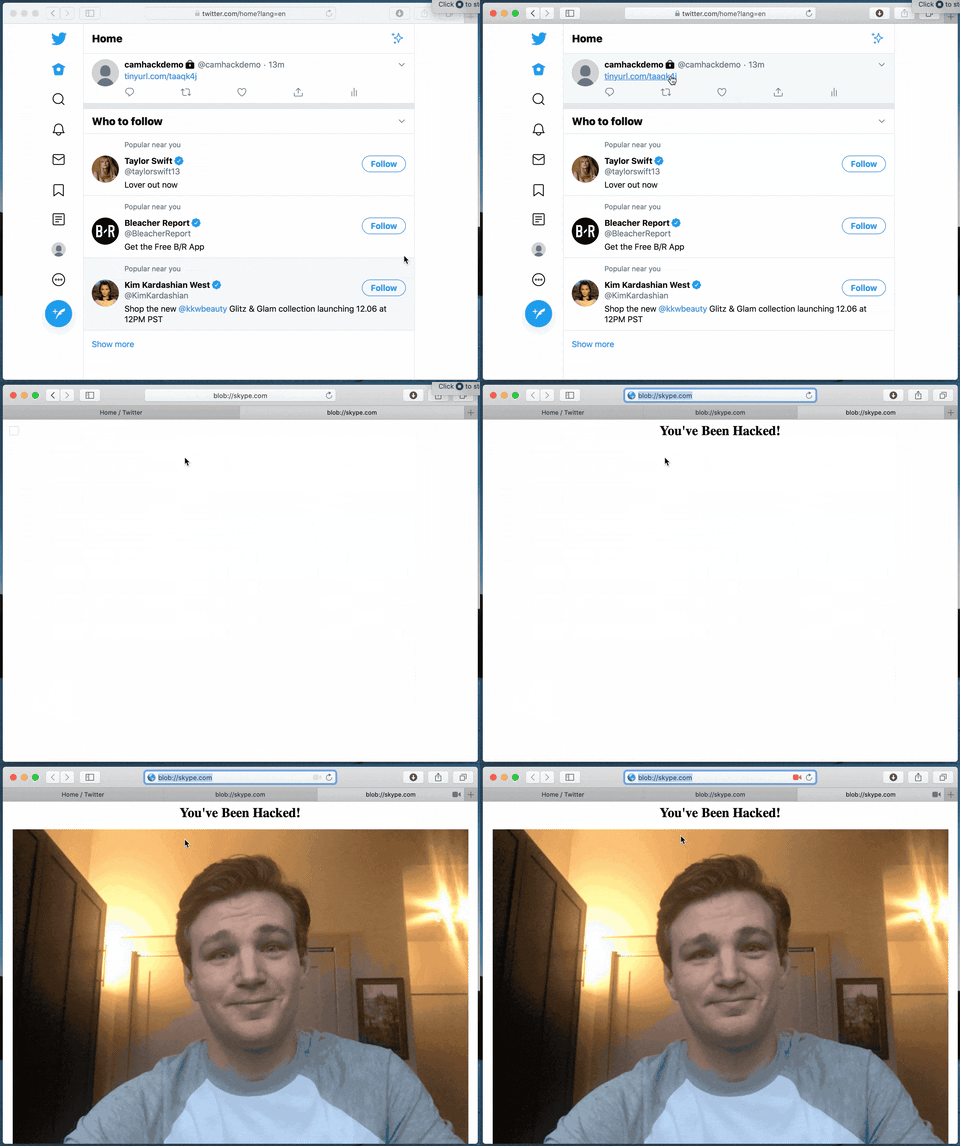
Pickren says Apple categorized his method into “Network Attack without User Interaction: Zero-Click Unauthorized Access to Sensitive Data” category and awarded him $75,000 for his findings.
If you’re interested to know how the process works behind the scenes, Pickren has published the technical details of the method in a post that you can check out from here.
So, this is yet another proof-of-concept depicting why you should not click malicious links spread across the internet and a reminder to keep camera permissions disabled by default on your PCs at the very least or use a laptop camera shutter when the camera is not in use if you’re concerned of privacy.