
Microsoft Chromium Edge’s development team has been quite consistent in adding new features to the web browser ever since its inception. After getting added last August to the Canary version of Microsoft Edge, Collections is now getting a functional improvement that makes it easier to group similar tabs for faster access.
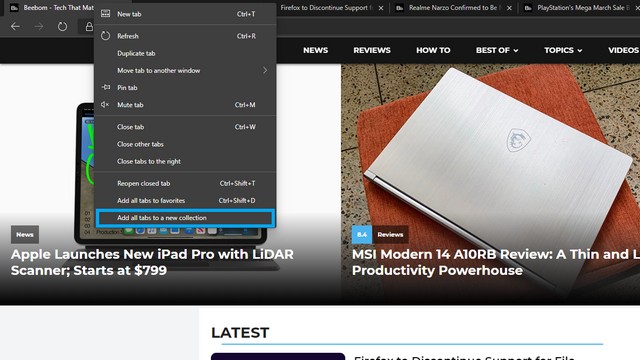
With the latest build available in Microsoft Edge Canary and Dev channels, you can simply right-click a tab and choose the option “Add all tabs to a new collection”. In doing so, you will see all the current tabs being added to a collection that you can later access from the Collections pane present right next to the address bar.
For those unaware, Collections is a feature in Microsoft Edge that lets you classify and organize similar web content so that you can quickly retrieve it. For instance, you may group all your research documents under a collection for accessing later.
When I configured Collections a couple of months back, I had to manually add pages one by one, which honestly was not quite a productive use of time. With this handy option, new users can skip the boring manual process and get right on board with Collections.
As I mentioned earlier, the feature is currently live just on the Canary & Dev channels and hence, you might not be seeing the feature in the stable version. With that said, Microsoft should hopefully be incorporating this neat addition when they release the next stable build of Edge.