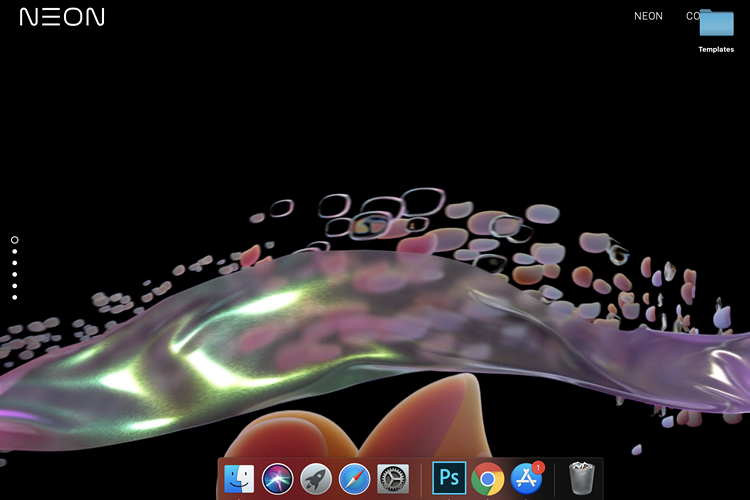
Are you someone who changes wallpaper often? If yes, this Mac app named Plash is something that you should not certainly miss out on.
Plash takes your desktop wallpaper to the next level by allowing you to set highly dynamic desktop wallpapers. This could be an animated GIF, a wallpaper album repository, or any website you desire.
Yes, you can set an entire website as your home screen. You can even browse the website, just like you do in a web browser using the browsing mode bundled in the app. Once you’re in browsing mode, you can right-click to navigate through pages. Cool, right?
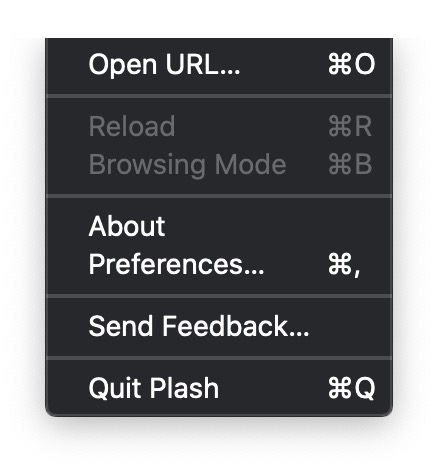
To get started, install the app and click on the app’s menu bar icon. From the list of options that appear now, choose “Open URL”. Paste the link of the website you would like to see on your desktop and you’re done.
For instance, the developer mentions a use-case of the app – setting random puppy images from Unsplash. All you have to do is insert a URL something like this. You can also set something like your Calendar or to-do list as your wallpaper if a web version exists.
The developer has added options to set the opacity, launch the app when you login, and control the reload interval. The default refresh interval is set to 1 minute. The app works only on macOS Catalina (macOS 10.15) and later. Check it out from the link below and let us know if you found this helpful in the comments.
Download Plash on Mac App Store