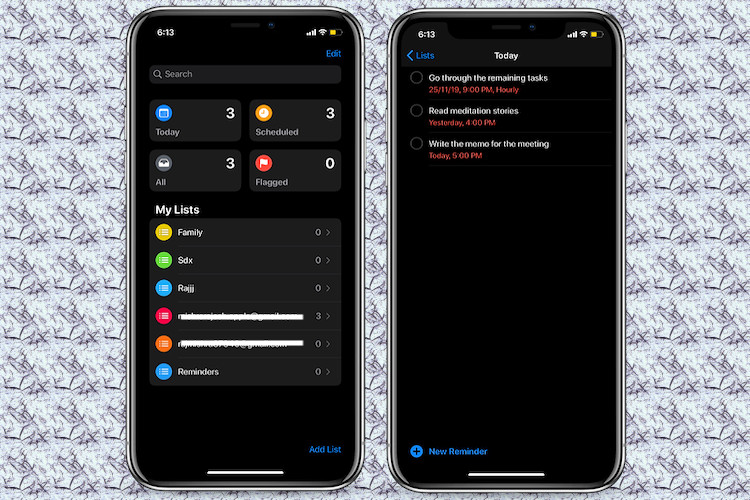
Everyone has their own way of dealing with mounting workloads. And, I have my own nifty little way of sorting out tasks – one at a time. Reminders play a pivotal role in helping me carry out my tasks before the deadline. But then again, no one is perfect. Nor am I. At times, I find myself running behind the clock with so many to-dos going well beyond the deadline. That’s the time where it pays to display all-day reminders as overdue ensuring they remain on top of the priority. If you would like to put your hands on this super handy feature, let me help you with how you can show all day reminders overdue in iOS 13, iPadOS 13, and macOS Catalina.
Display All Day Reminders As Overdue in iOS 13, iPadOS 13, and macOS Catalina
While the process is quite straightforward, it requires going into app settings, which makes the feature slightly out of sight. Once enabled, it makes sure all the overdue reminders are given more priority in the Today section so that there is less chance of missing them. with that said, let’s get going with the steps!
On iPhone and iPad
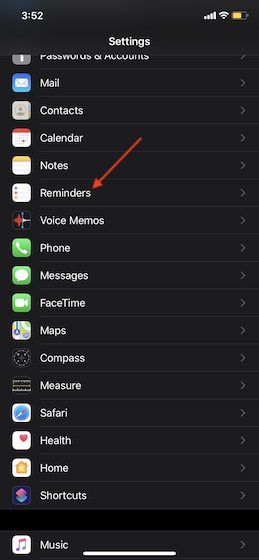
1. Open the Settings app on your iOS or iPadOS device and scroll down and tap on Reminders.
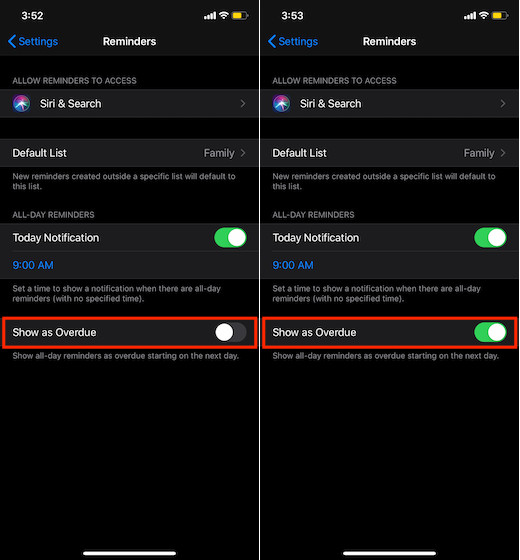
3. Next, turn on the switch for Show as Overdue.
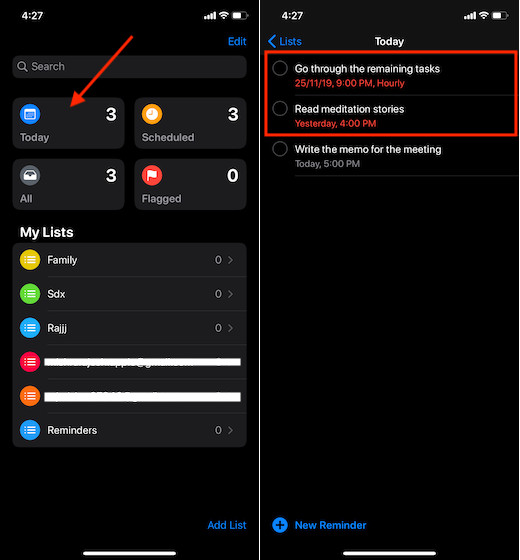
That’s it! Going forward, the Today section will show all of your reminders that are overdue.
On Your Mac
- Launch Reminders app on your macOS device.
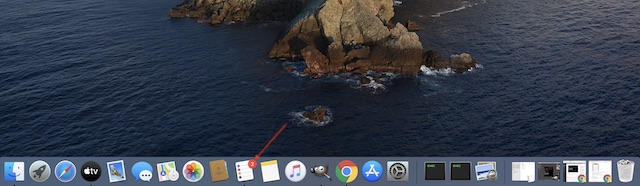
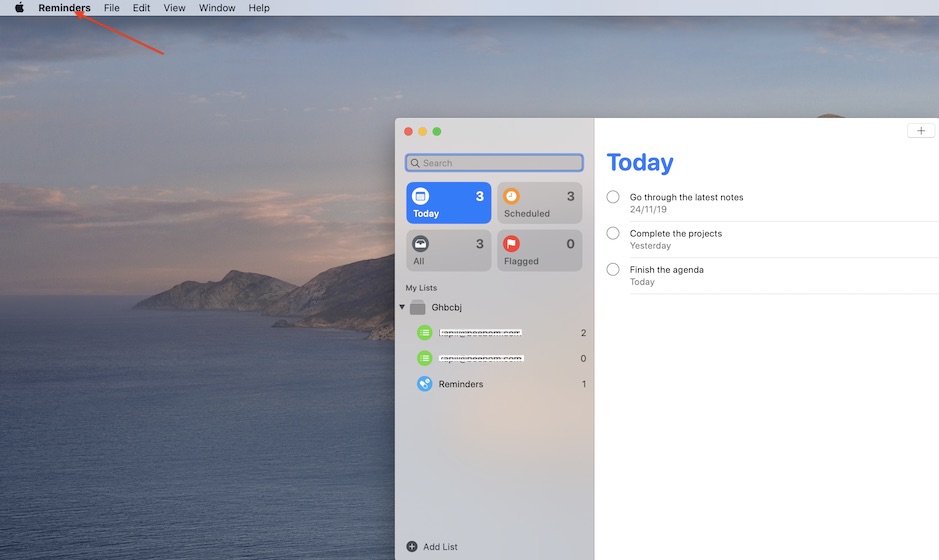
2. Now, click on the Reminders menu at the top left corner.
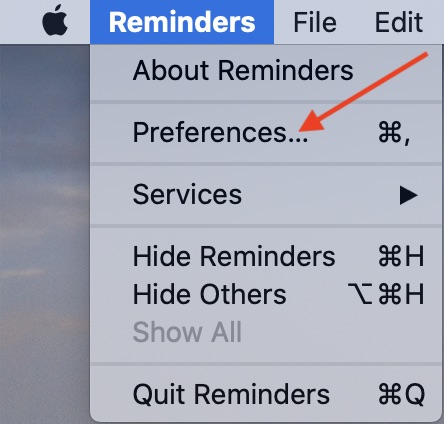
3. Now, choose Preferences in the menu.
4. Finally, check the box to the left of Show as Overdue.
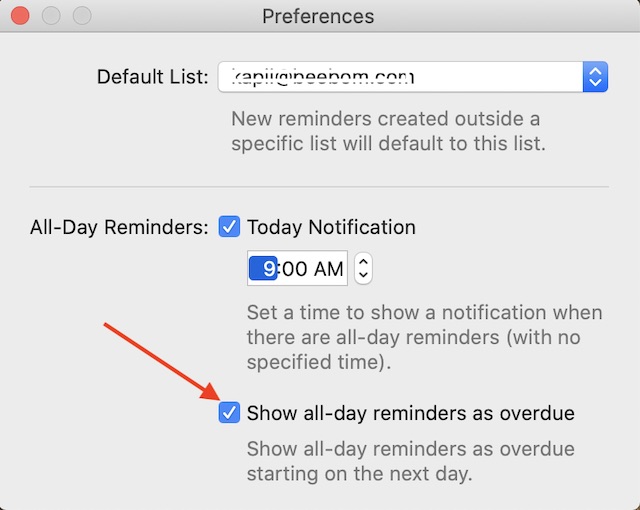
Now, you should see all of your all-day reminders as overdue starting on the next day.
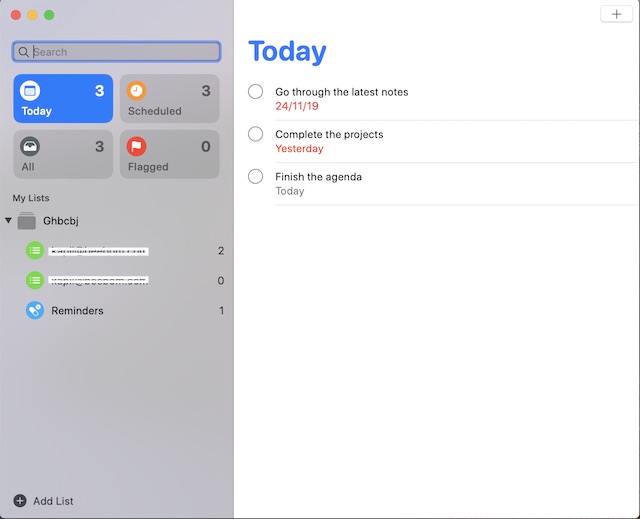
That’s pretty much it!
Take Control of Overdue Reminders…
So, that’s one nifty way of dealing with overdue reminders so that they have more attention. Apple has completely revamped the stock Reminders app, making it more intuitive and functional. Features like the ability to get a reminder when messaging someone has made it quite helpful. What’s your take on the improvement that the app has got?