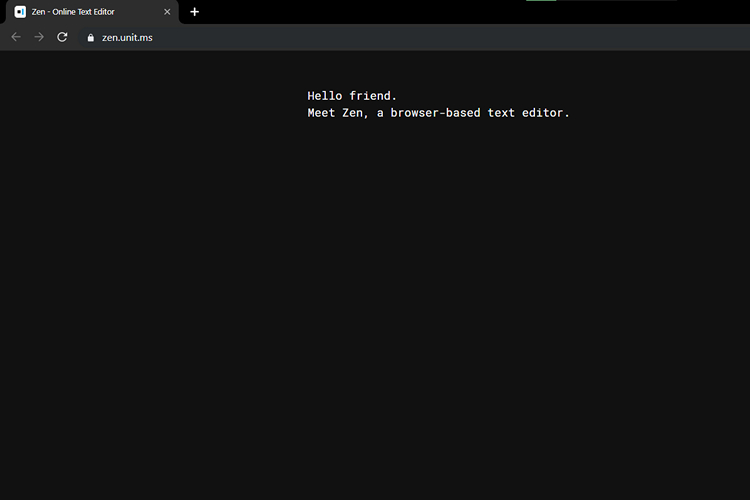
Have you ever wanted a simple browser-based text editor that serves the purpose without adding a whole lot of features? Well, Meet Zen, a text editor that can locally save everything you type inside it in the browser.
The visually pleasing and simple user interface of the text editor was one of the first things I noticed about it. Don’t get me wrong, the text editor comes with some useful customizations like the ability to change fonts, as well as a download function to save your work as a text file.
My favorite feature of Zen editor has got to be the ability to choose between four color schemes. The text editor offers a plain white, a yellowish tint, dark background with white text, and dark background with green text.
There is a letter/word count on the bottom left corner of the editor that lets you seamlessly keep track of the number of letters and words in your note. Also, in case you want to revive your typewriter memories, you can turn on typewriter sounds in the editor as well, which is really cool.
All of these things can be done with simple keyboard shortcuts. For instance, you can switch to full-screen mode by using the key combination Ctrl/Cmd + Shift + F. Here are all the shortcuts supported by Zen:
- Change font: Ctrl/Cmd + Shift + A
- Change theme: Ctrl/Cmd + Shift + E
- Typewriter sounds: Ctrl/Cmd + Shift + Y
- Markdown mode: Ctrl/Cmd + Shift + M
- Print: Ctrl/Cmd + Shift + P or Ctrl/Cmd + P
- Download: Ctrl/Cmd + Shift + S or Ctrl/Cmd + S
- Bold: Ctrl/Cmd + B
- Italic: Ctrl/Cmd + I
- Insert link: Ctrl/Cmd + K
- Code block: Ctrl/Cmd + Shift + C
As I mentioned earlier, Zen comes with three font options and supports Serif, Sans Serif, and Monospace in case you’re wondering. However, there isn’t any cloud-backup feature here, so if that’s important for your use-case, you should probably look elsewhere.
Visit Zen Text Editor (website)