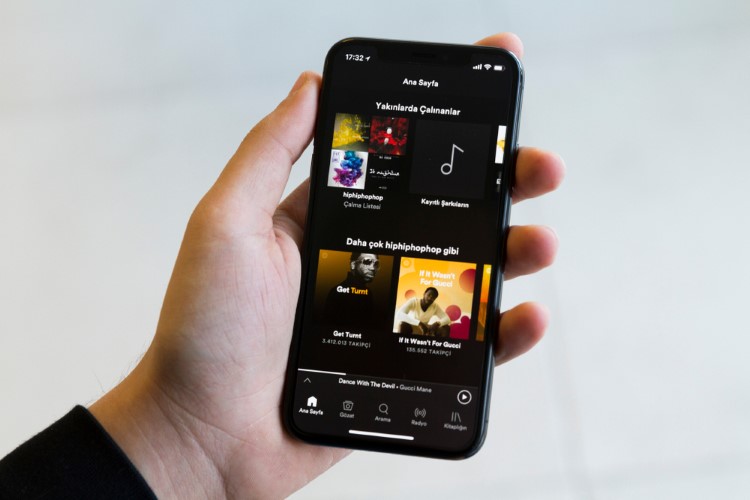
Spotify is probably the most feature-rich music app in a seemingly crowded market. But there is one little feature that its iOS app still lacks and it’s the inability to download a specific song. There is no point in downloading an entire album or playlist when only a few selected songs appeal to your music taste, is it? Until the music-streaming app comes with a better solution to address this frustrating snag, I have discovered a relatively easy workaround to download a single song in Spotify on iPhone or iPad. And, I’m sure you would also find this hack pretty easy-going. So, let’s try it out!
How to Download a Single Song in Spotify on iPhone or iPad
Do note that this trick works only in the Spotify premium. So, make sure you have the paid version of the music-streaming app.
1. Launch the Spotify app on your iPhone or iPad. Then, search for the song you wish to download on your device.
2. Now, tap on the three dots (placed horizontally) on the far right of the song.
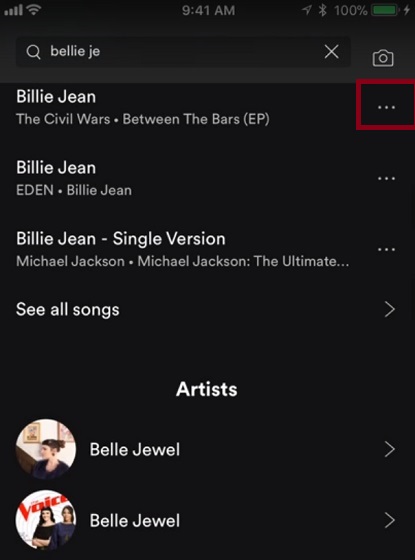
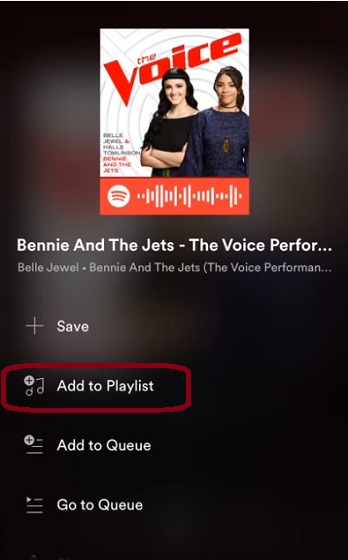
3. Next, a menu will appear. Select “Add to playlist”.
4. Next up, choose “New Playlist” and give it a suitable name.

5. Up next, turn on the “Download” button in the playlist to download the song.
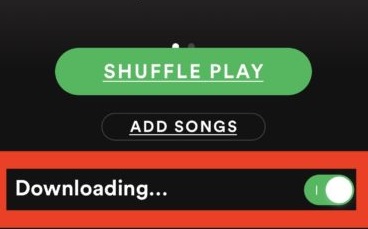
That’s pretty much it! Now, wait for some time until the song has been downloaded on your device. You can repeat the same process to download more Spotify songs individually on your iOS device.
What I have personally done is to create a separate special playlist for downloading single songs. You can do that so you don’t have to create a new playlist every time you want to download a specific song. Whenever I encounter a song I like and want to keep offline, I just add it to that specific playlist and it’s downloaded withing minutes.
SEE ALSO: 17 Best Offline Music Apps for Android
Download Your Favorite Spotify Songs Individually on iOS with Ease
So, that’s how you can choose to download specific Spotify songs on your iOS device with ease. Until the music-streaming app offers a more upfront option, use this hack to create a great library of songs for offline listening. I am still shocked that Spotify has not solved this problem. But it is what it is, I guess. Anyway let us know your thoughts on the subject in the comments section below.