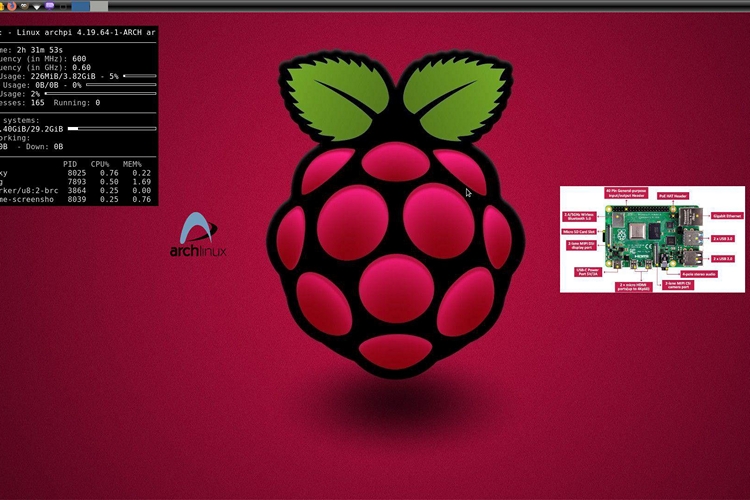
A few months back, Raspberry Pi Foundation announced the Raspberry Pi 4 which was received quite well amongst the community who wants to set up every aspect of their PC on their own. If you’re one of those people who like the modularity and the freedom offered by the Raspberry Pi 4 but doesn’t want to spend a lot of time setting up the operating system, do not worry. RaspArch has got you covered, with its latest build for the Raspberry Pi 4.
While you can already install Arch Linux manually, RaspArch aims to take the installation hassle out of the process and wants to give users an easy-to-install experience. “RaspArch is a “remaster” of Arch Linux ARM. The original compressed system is of 231 MB. RaspArch is a “ready-to-go” ARM system.”, said Exton, the man behind the project.
Coming to the technical aspects of RaspArch, it comes bundled with LXDE Desktop Environment(DE) and runs on 4.19.64-1-ARCH kernel. There are some useful apps preinstalled with RaspArch which includes Firefox, Pulseaudio, Clementine, Geany, and Gimp.
Installing RaspArch is pretty much straightforward. You may use any tool like Rufus, Win32 Disk Imager or Etcher for writing the image file to your micro SD card. However, I would suggest you use Rufus as it is my personal favorite and I have never faced any kind of issues with it.
RaspArch also comes with Yaourt preinstalled for accessing the Arch User Repository which I’m not quite a fan of since the project is obsolete. I would recommend you to use Yay which I came across after being suggested by one of my friends. It is a good alternative and serves the purpose better. Click to view slideshow.
Recalling the specifications, the Raspberry Pi 4 Model B computer comes with a Broadcom BCM2711, Quad-core Cortex-A72 (ARM v8) 64-bit SoC clocked at 1.5GHz., supports up to 4GB RAM, Bluetooth 5.0, and 2.4 GHz and 5.0 GHz IEEE 802.11ac Wi-Fi.
You can download RaspArch build 190809 from the link given below. The size of the file is 1.2 GB. Do let us know your experience using RaspArch in the comments.
Download RaspArch