Consider a situation where you’re stuck in a place with almost no internet connectivity and you’ve got a high priority banking transaction to make. Be it booking tickets for your favourite movie, paying electricity bills to avoid disconnection, or even helping out a friend in need, lack of a proper internet connection can be really frustrating. To overcome this, NUUP (National Unified USSD Platform) has developed a method in partnership with Unified Payments Interface (UPI) that will allow you to perform transactions on the go without the need for a stable internet connection by dialling a particular USSD code.
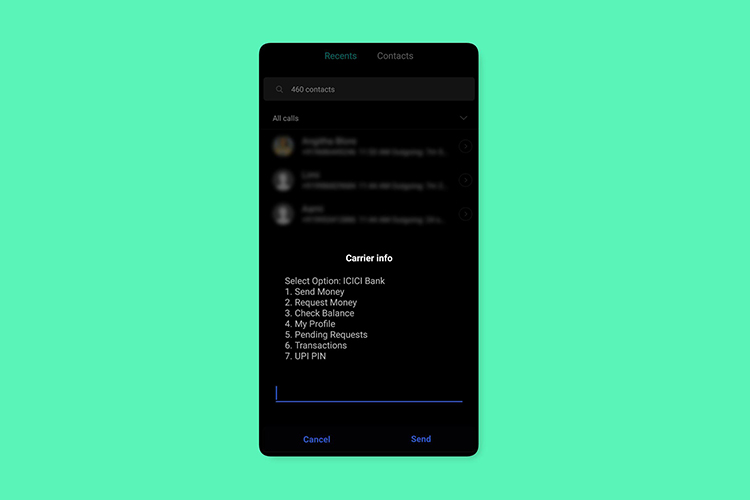
All you have to do is open your Dialer and type in *99# from the number associated with your bank account. After a few seconds, several service request options will appear on your screen. The major services offered are sending, receiving, and requesting money. For sending money, the service allows various choices like entering a mobile number, UPI ID, Aadhaar number, Account No. + IFSC. Other services include checking the account balance, setting UPI PIN, changing UPI PIN, and getting details of the last 5 transactions.
According to NPCI(National Payments Corporation of India), the service can be availed 24*7 and works even on holidays. To avoid misuse, RBI has set a limit of ₹5,000 per transaction which is quite good in my opinion. There are no extra charges from the bank’s end for performing the transactions through this USSD code but according to the Telecom Regulatory Authority of India (TRAI) guidelines, your network provider may charge up to ₹1.50 per transaction.
Next time, you get trapped in an area with poor internet connectivity, try using *99# to get your banking transactions done.