
OnePlus 7 Pro has officially been unveiled today and it comes with a new version of the company’s Android ROM, OxygenOS 9.5, installed on top. The snappy experience is still pretty much the same, except for that there are a number of new features that’ve been added to OxygenOS, including the Zen Mode.
Zen Mode, as OnePlus describes, has been developed to encourage users to focus on their life and distance themselves from their smartphones for sometime during the day. Smartphone addiction is a real dilemma for some and we cannot deny it. We can find an enormous number of users who spend hours of their day glued to a screen, but OnePlus strives to change that with Zen Mode.
This mode, once activated, will make your smartphone unavailable for next 20 minutes. The device will be rendered useless for the focus period since you cannot exit Zen Mode, which was one of the biggest annoyances for Sharun on our team. You can only make or attend calls, use the camera and nothing else. All incoming notifications will be muted & apps locked.
However, I understand the OnePlus’ reasoning for not including an ‘exit’ button and I’m completely in favor of it. An exit button will give users an out from the Zen Mode, which surely will see them give up and return to using their phones.
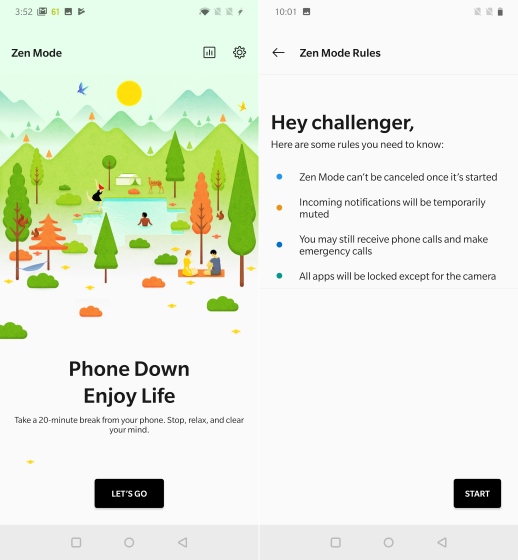
Activating the Zen Mode is super simple. OnePlus has added a quick settings tile for this feature in the notification shade, so you simply need to tap the same to enter this mode. You will then be presented with the rules for this mode, post which the Zen Mode kicks in and shows the amount of time (of the 20-minute focus period) remaining on the screen.
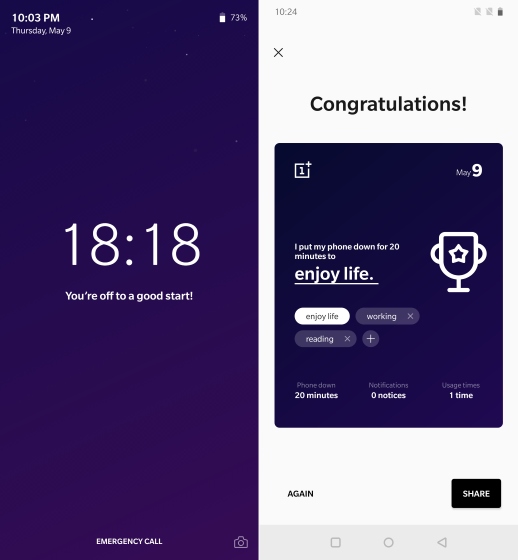
At the time of writing this story, we’re not aware of where OnePlus drew inspiration from while working on the Zen Mode, however, it could very well be this user entry from their Product Manager Challenge earlier this year. An eponymous feature was designed by the user fecfecfec, who described it as a means to wind down and not be waiting for another notification.
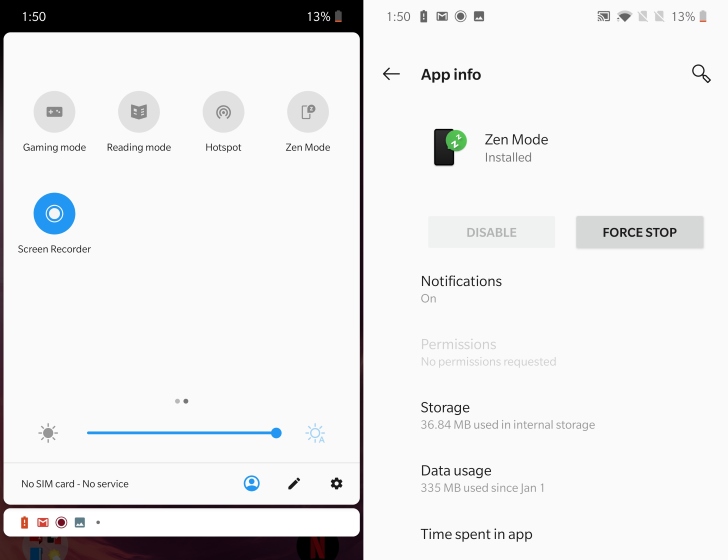
Well, as I’ve already told you, Zen Mode is activated using the quick settings tile, which sure will come in handy when you’re looking to take a break from your smartphone. I’d also like to point out that Zen Mode has no settings. It’s simply an app installed on your OnePlus device to help keep your smartphone use habits in check, so you cannot tweak anything.
So, are you excited to check out Zen Mode when OxygenOS 9.5 rolls out to your existing OnePlus device? Let us know your thoughts on this new feature down below.