
Android Q is finally here in the form of an early beta, and it brings a bunch of cool new features along with a plethora of changes under the hood for faster app launches, better support for upcoming foldable phones and more. However, if you’ve been waiting for a built-in screen recorder in Android Q, you’ll be glad to know that it’s here too, in some hidden way at least. Here’s how you can enable the built-in screen recorder in Android Q.
Enable Screen Recording in Android Q
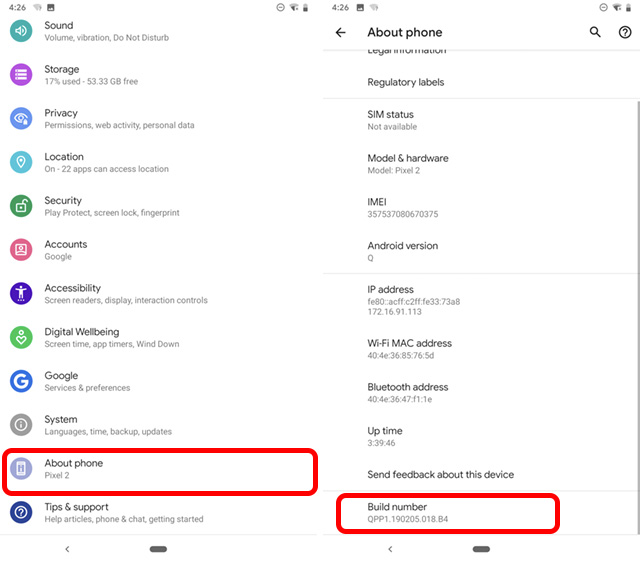
- In Settings, head over to ‘About Phone‘ and tap on the Build Number 7 times to turn on developer mode if you haven’t already.
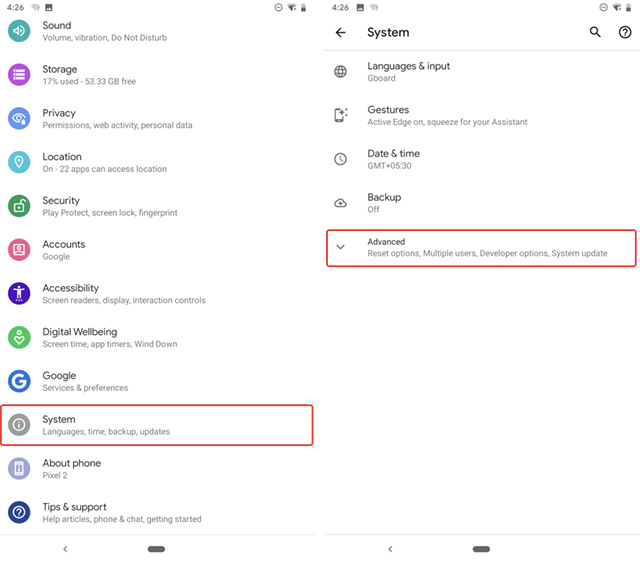
- Now go to System, and tap on Advanced.
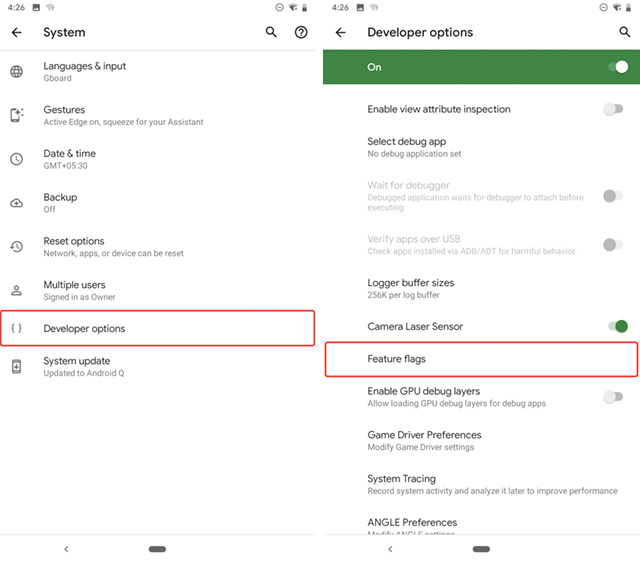
- Here, go to Developer Options, and tap on ‘Feature flags‘ under Debugging.
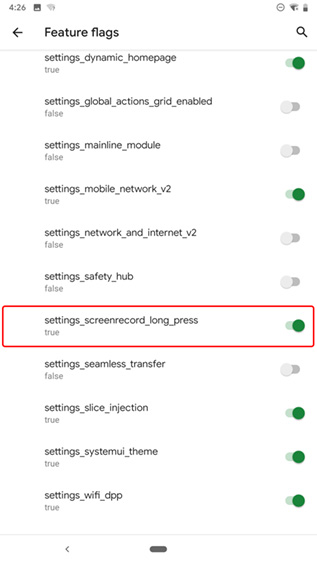
- Enable the toggle next to ‘settings_screenrecord_long_press‘
- Now, just press and hold the power button, and when the power menu pops up, press and hold on the ‘Screenshot’ option. You will now see the screen recording menu pop-up. You can enable recording sounds via the microphone, and enable or disable the ‘show taps’ option. Once done, just tap on ‘Start recording.’
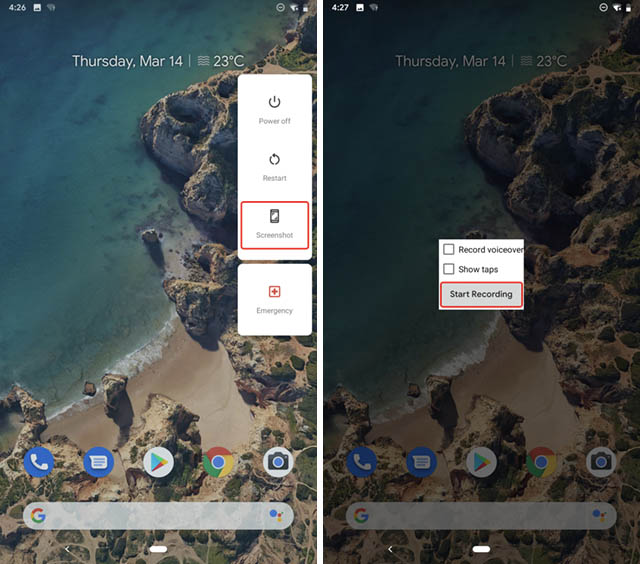
That’s pretty much it, the screen recording will start and you can drag down on the notification shade to stop, pause, or cancel the recording.
Note: This feature is still in the early stages of development, and while it worked fine on our Pixel 2, it wasn’t working as expected on the Pixel 3 XL, so your mileage may vary.
SEE ALSO: How to Install Android Q Beta 1 on Your Pixel Devices
Record Screen in Android Q with Ease
Now that you’ve enabled the built in screen recorder in Android Q you can easily start recording your screen whenever you want to without having to download a third party app and giving it unnecessary permissions on your device. While the screen recording functionality is buggy in its current state, we’re sure Google will work out the kinks over the course of the beta updates before finally releasing Android Q sometime in Q3 this year.